Share


In large organizations, inbound administrative correspondence runs to thousands of documents a year. Most of the time spent handling it goes not into decisions, but into the work that precedes them: reading, classifying, entering metadata, finding context, drafting replies. None of it is knowledge work — it is operational overhead absorbed by people whose attention should be on more substantive tasks.
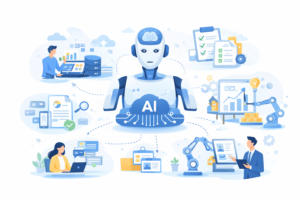
The AI capabilities built into e-Docs.Platform, running on Microsoft Azure, redistribute that load. People focus on the decision; the system handles everything around it. This plays out at three levels.
Level one: reading and understanding the document
In the traditional model, an employee reads each document themselves to determine its content, type, and priority, then manually fills in the metadata fields. That is fine for one document. At a volume of several hundred a week, it becomes a structural productivity problem.
Automatic extraction of structured data
As soon as a document arrives, the system reads its contents and populates the structured profile fields automatically: sender, document type, date, key references, abstract. No manual entry. The data is available before the assigned reviewer even opens the document.
Decision support
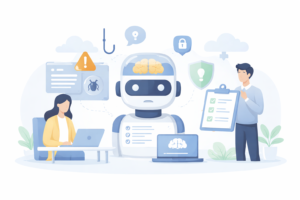
e-Docs.Platform ships with a library of preconfigured AI prompts for document analysis and decision support. The system can check regulatory compliance and response deadlines, identify the substance and priority of an inquiry, flag potential risks, and produce recommendations on next steps.
AI also helps determine the optimal processing sequence, whether legal or compliance teams need to be involved, and how business-critical a given request is.
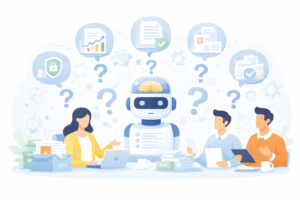
Beyond the preset scenarios, users can run ad-hoc analysis on document contents directly inside e-Docs.Platform. Ask a question about a document or its attachments, and the AI will surface the relevant information — even across large file packages.
Gartner observes that AI-driven processing of unstructured data and depth of document analysis are emerging as the critical differentiators in modern document workflow solutions. Organizations that limit themselves to automating registration are tapping the least valuable part of the available capability (Gartner, Magic Quadrant for Intelligent Document Processing, 2025).
Level two: generating documents and replies
Drafting replies
Working from the incoming document, the analysis output, and any additional user instructions, the system produces a ready draft. The assignee receives a structured response that reflects the context of the original letter and the organization’s templates. From there: review, approval where required, signature. Drafting time falls by a multiple; quality goes up because the organization’s standards are applied consistently.
Drafting documents from analysis
When the outcome is not an outgoing letter but an internal document — an opinion, a memo, a recommendation, a draft of an internal regulation — AI helps build its structure and content from the analysis of the source materials and the instructions provided.
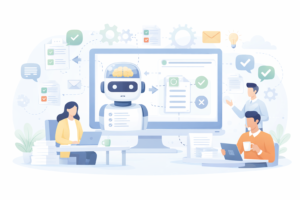
The interaction model is the same in both cases: the system proposes, the person decides. The decision and the accountability stay with the signatory. What is reduced is not control, but the cost of exercising it.
Level three: organizational memory
Most organizations store their documents. Far fewer use them effectively. e-Docs.Platform indexes documents so they can be queried, searched, and used as the organization’s internal knowledge base. When a new document or reply is being prepared, the system can draw on relevant prior materials: precedents, earlier responses to similar requests, internal procedures, current guidance. Institutional experience becomes a working tool.
For large organizations with a long operational history, this is a separate dimension of value: AI does not just speed up the handling of new documents — it puts the knowledge accumulated in older ones back into circulation.
Architectural foundation: why Microsoft 365 matters strategically
All of the AI capabilities described above run on Microsoft Azure — on the same services that already provide the organization’s cloud infrastructure.
First, data does not leave the corporate Microsoft environment and falls under the security, classification, and access policies that are already in place. Adopting AI capabilities does not create a new risk perimeter — it extends the one already under control. Second, for organizations that already run Microsoft 365, no additional AI infrastructure is needed: the functionality lives in the same environment as Teams, Outlook, and SharePoint.
The bottom line
AI in administrative document workflow changes how an organization handles document volume at scale: from sequential, manual processing to parallel analysis that begins the moment a document arrives.
The three levels — analysis and understanding, document generation, organizational memory — together create an environment in which the routine portion of the work is carried by the system and the managerial portion stays with the people. The underlying question is what the organization is spending its employees’ time on.
e-Docs delivers this approach on Microsoft technology, aligned with the requirements of Ukrainian law and informed by years of enterprise implementation experience. Our methodology combines current AI capabilities with established business-process automation practice, striking the right balance between business value, implementation cost, and operational efficiency.